 15 Jul 2015

If you're among the two thirds* of Brits who are expected to take at least some of their holiday snaps using a smartphone this summer, but don't just want blurry or overexposed photos to remind you of your holidays then read on. Jan-Ole Schmidt of WhiteWall, the online photo lab which supplies top photographic art galleries with breathtaking prints, has some top tips for better smartphone photography.
Jan-Ole explained: 'Holiday photography is all about capturing those fun, spontaneous moments, and because phones are so often within arm's reach, they are perfect for this. The tips below should give you all the know how you need to take some fantastic pictures that really capture the holiday spirit – but of course don't leave them on your phone, get them printed via a service like WhiteWall and display them around your home!'
1. Take a lot of photos
You can always choose the best shots later and of course the more photos you take, the more you can improve your photo.
2. Get close
Avoid using the zoom when at all possible – the quality can deteriorate really quickly.
3. Clean your lens
Don't forget your camera lens will be dirty from everyday phone use, so give it a wipe before you take your photos.
4. Look at the light
As a general rule the light source should be behind the photographer, but don't be afraid to play around with different angles and camera positions to see what effects you can create.
5. Be creative
Experiment with different perspectives, reflections and light – don't worry too much about 'rules,' sometimes the most striking photos are also the most unexpected.
6. Stabilise
Hold your phone with two hands and as close to your body as possible – often blurry smartphone photos are due to movement, rather than lack of focus.
7. Don't be too flash-y
Smartphone flashes can be pretty harsh, leading to an unnatural, overexposed look and this is particularly true when photographing from a distance. Sometimes it's worth turning the flash off. Smartphone photo taken in the dark tend to be much lower quality, so it's better to shoot when there's plenty of light.
8. Edit
If your photo isn't perfect, don't just delete it – most phones will let you crop photos or adjust contrast and lighting, or investigate one of the many free apps available.
9. Print it!
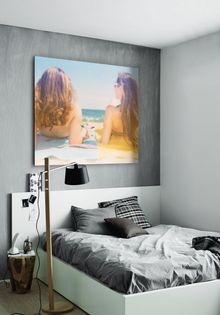
Don't leave the perfect photo lingering on your phone, get it printed and hang it on your wall. The resolution and quality is usually high enough to have a large print made, anything up to 120x90cm is generally fine.
10. Frame it!
Display and draw attention to your photo by framing it. You can use different materials that match or complement your interiors but also natural layers, such as window frames. These dramatically increase the depth of your image.
* Figure derived from research conducted by the Leadership Factor during June 2015. 66% of 2,427 people responded to the question 'What will you use to take photos on your holiday this year?' by saying they would take at least some of their holiday photos on their smartphone.
About WhiteWall
WhiteWall is a brand owned by Berlin-based Avenso GmbH, which has operated the photo lab as well as the WhiteWall.co.uk online service since 2007. Photography hobbyists and professionals around the world rely on WhiteWall's exceptional quality. With its LUMAS brand, Avenso GmbH has been democratising the art market for ten years through its hand-signed art editions by renowned artists from around the world. All of Avenso GmbH's photographic works and products are exclusively produced in, and shipped from, the WhiteWall photo lab in Frechen, Germany, just outside of Cologne.
Reprint free of charge. Copy requested.
PRESS CONTACT
For more information and print-ready images, please contact:
Kate Mathews
Bogdan Marinescu
LUCRE PR
30 Park Square West, Leeds
LS1 2PF, United Kingdom